Nissan Vehicle Management Services
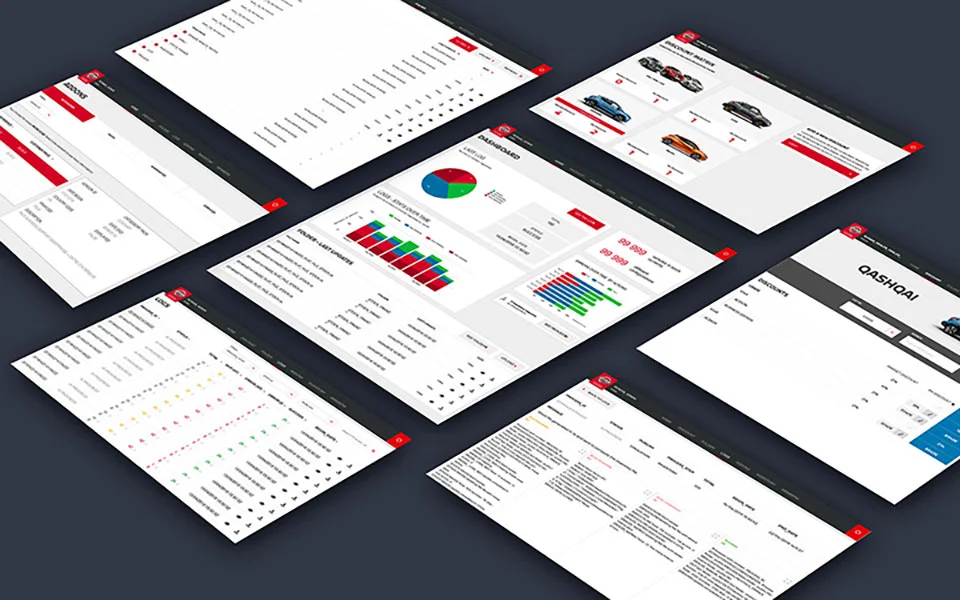
Client context: This project was carried out as part of my role at Publicis Sapient, where I worked on behalf of Nissan Europe. It was built in parallel with the design of Nissan Europe's e-commerce platform.
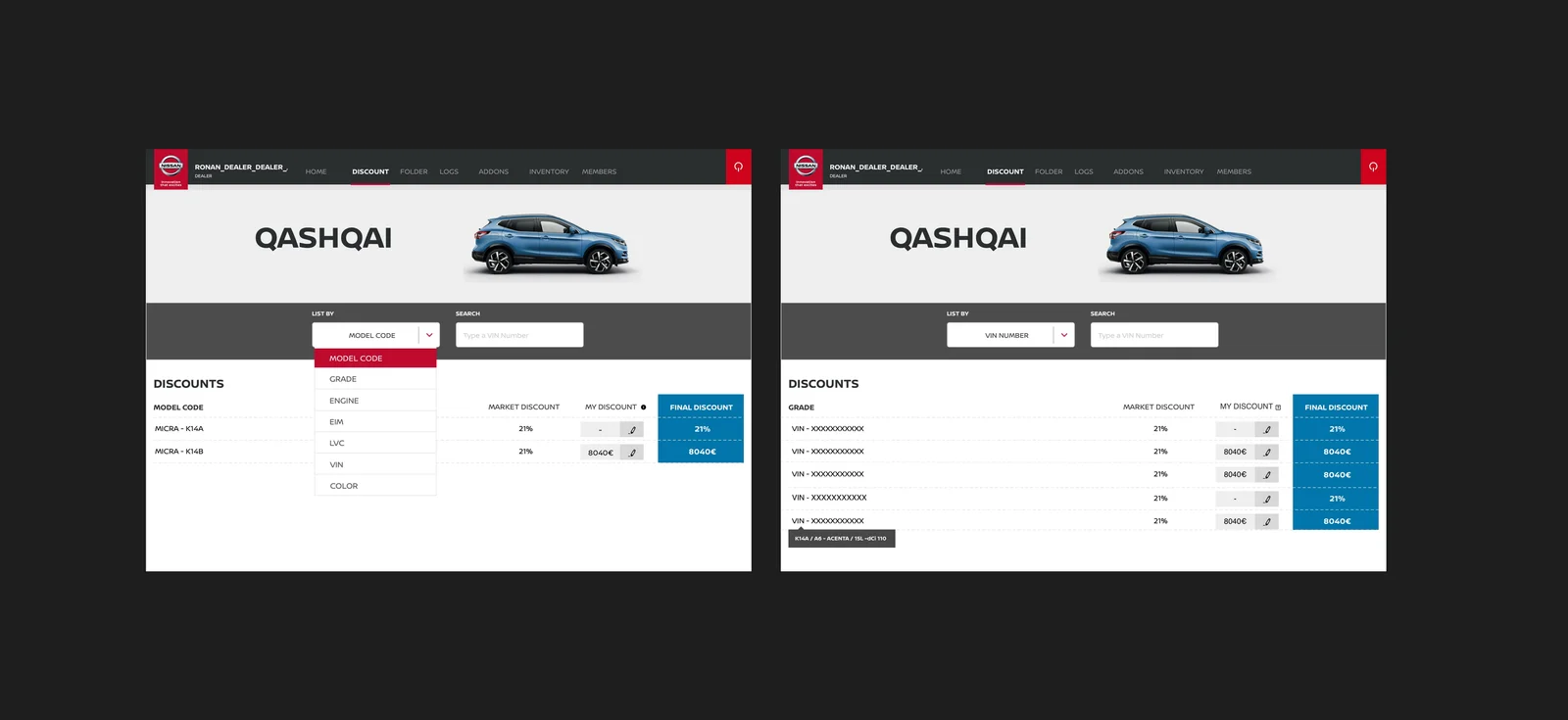
VMS was originally a technical log management tool that provided access to files through an outdated interface. Its scope needed to expand to analyze and support Nissan Europe's e-commerce activity and allow dealerships to add discounts.
This evolution required rethinking the tool's organization and readability. Developers also wanted a clearer interface to make their daily work easier.
My role: I made all the design decisions for the redesign, to support VMS's expansion into Nissan Europe's e-commerce, allow dealerships to add discounts, and address developers' need for a more readable interface. These decisions were then validated by the technical teams.
Organization: I worked under the Lead Designer, in close collaboration with the technical team.
The approach
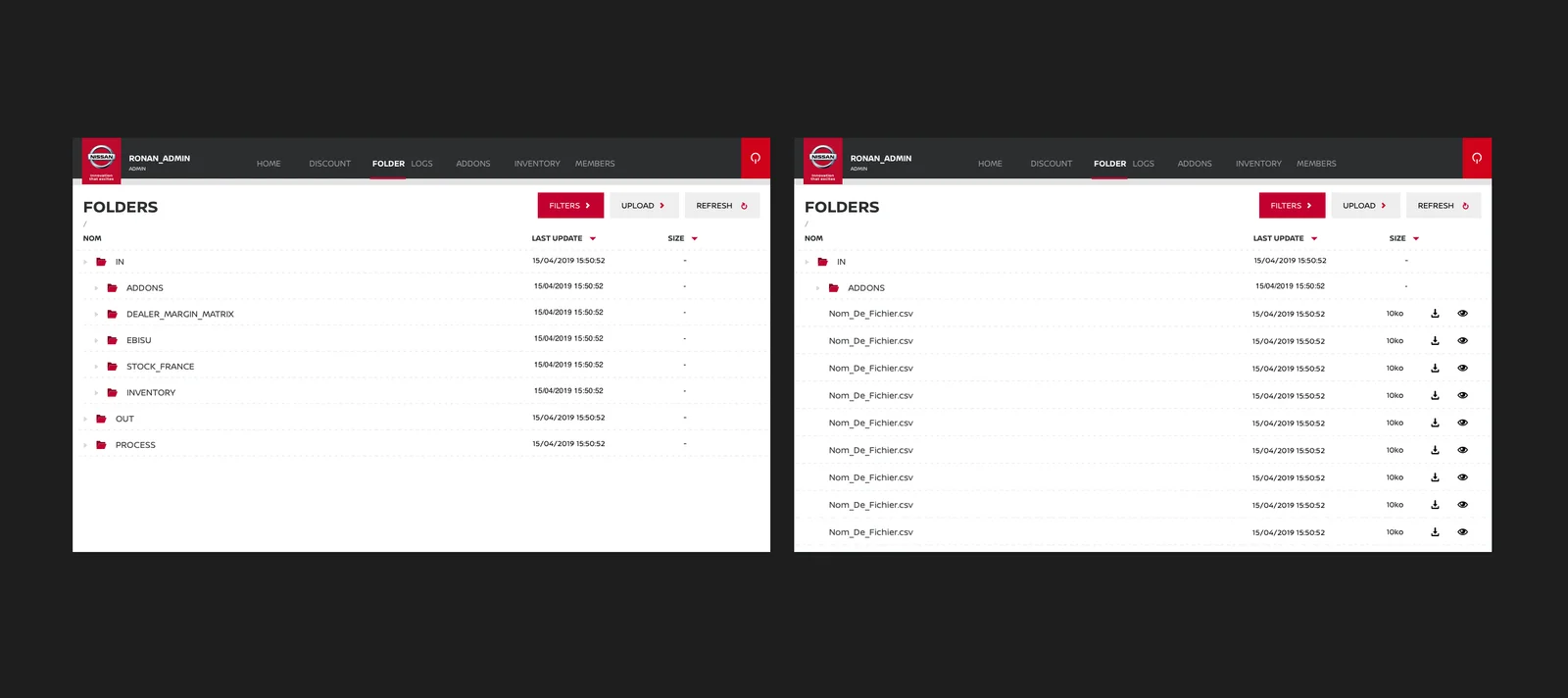
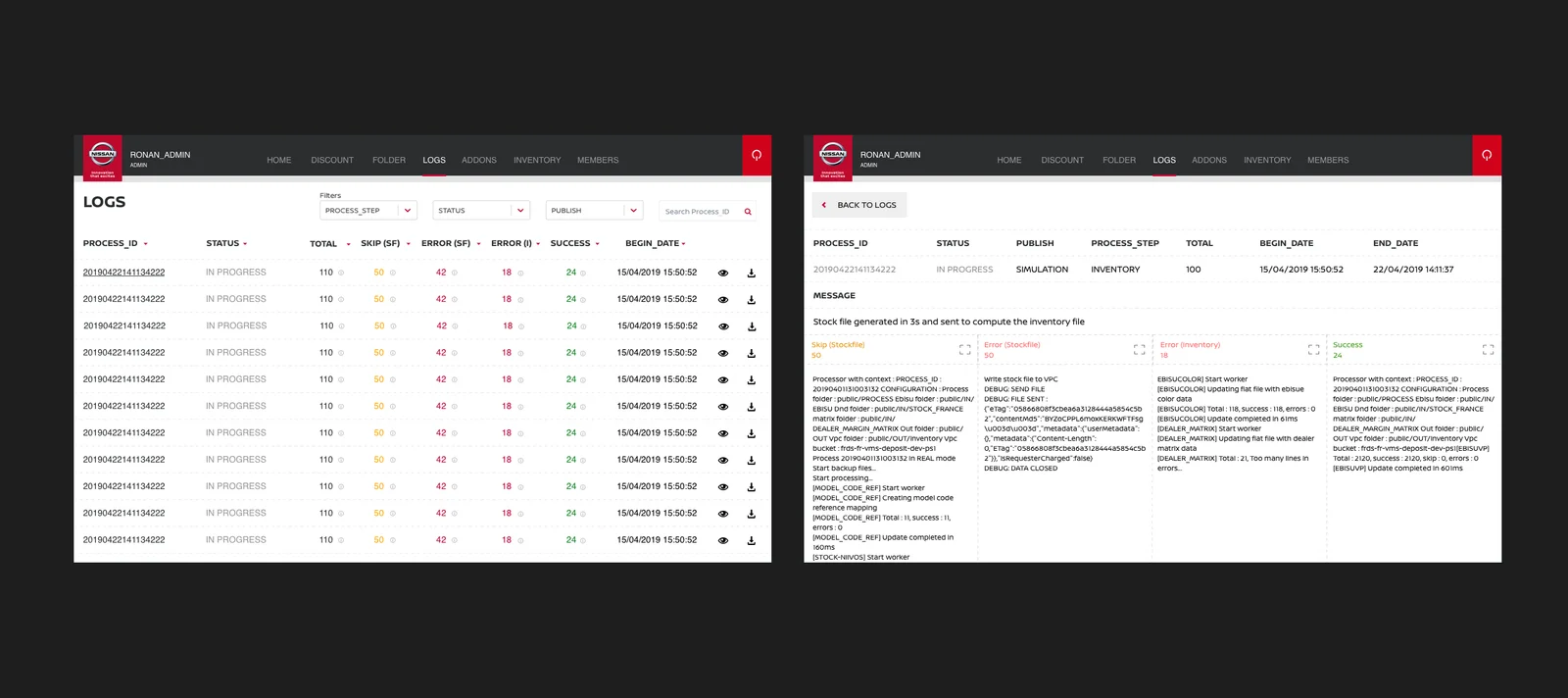
I analyzed the existing back office for Nissan Europe's sites (mainly built around file search and log analysis) and reworked it to be more user-friendly, making room for a new type of user: dealerships.
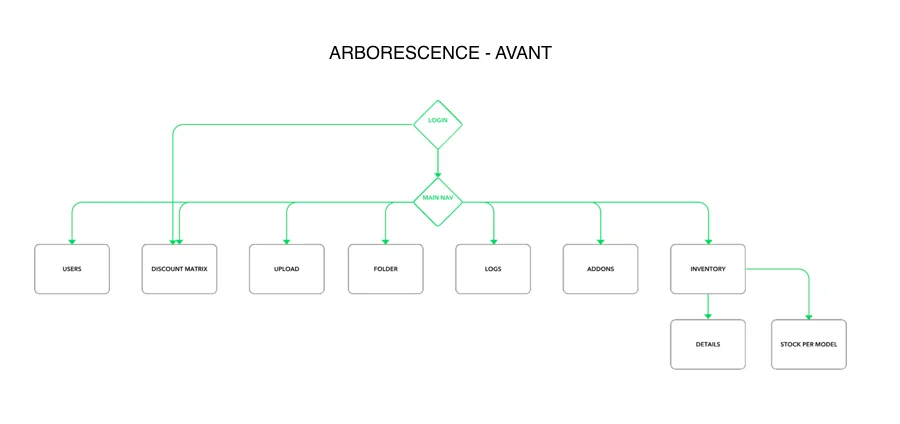
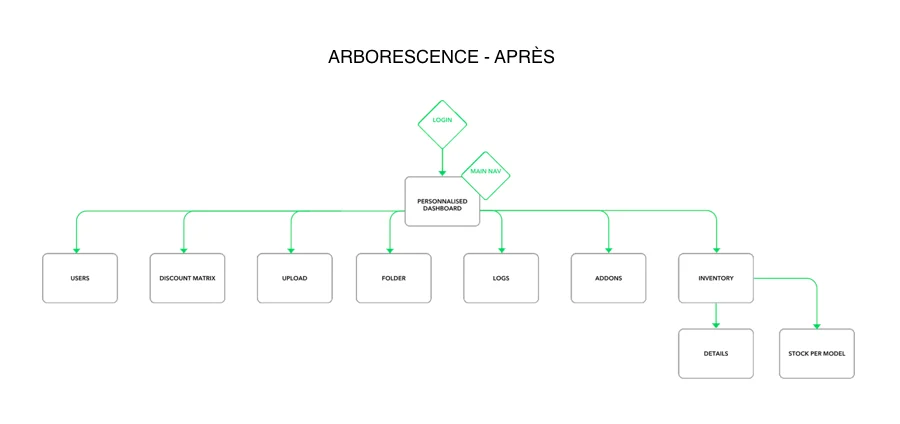
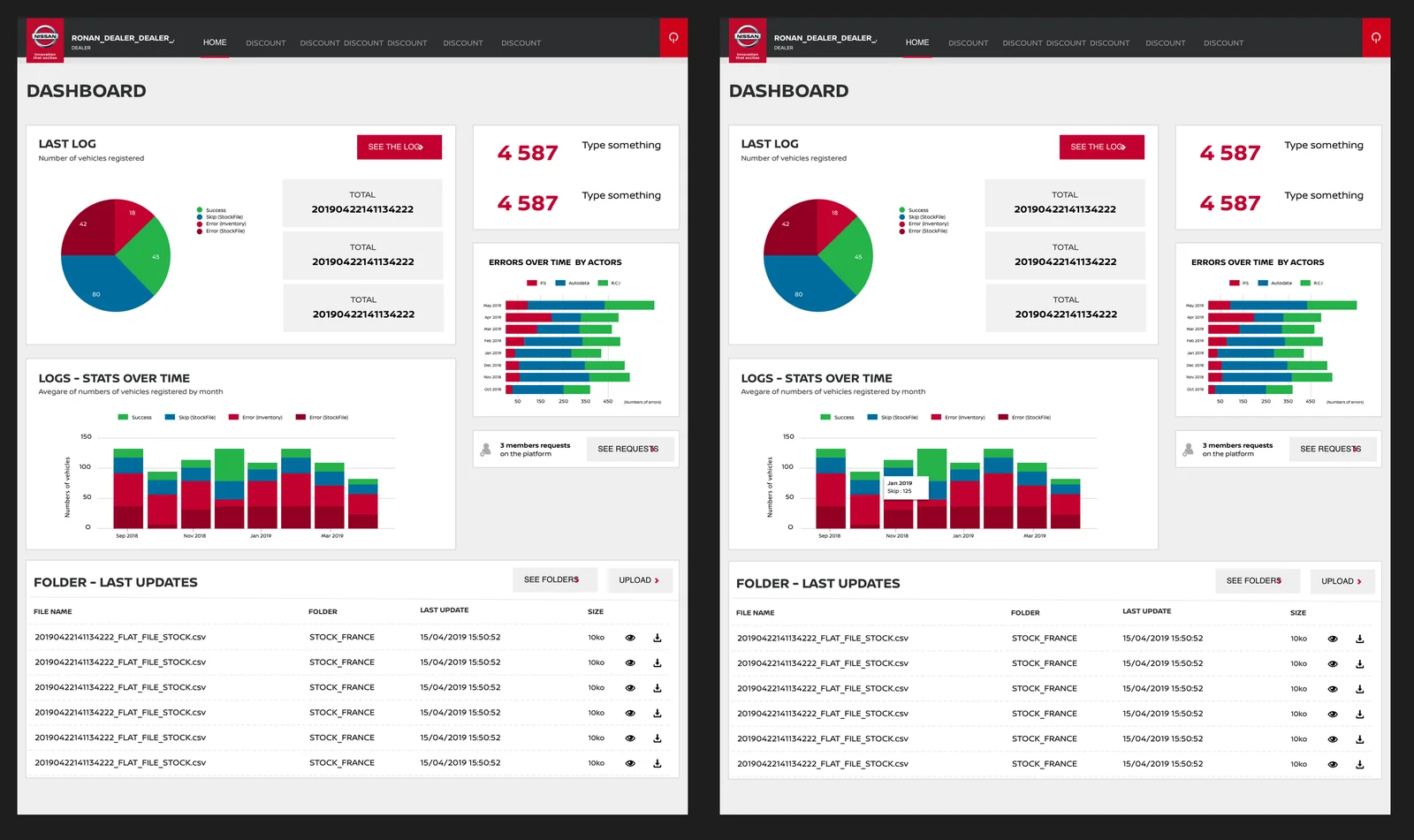
Dashboard
File explorer
Discount management
A project? A need?
Let's talk.
If you're interested in my profile or would like to connect, I'd be happy to hear from you — via LinkedIn (new tab), or directly by email at benech.r(@)gmail.com. Looking forward to it!
To go back home, click here!